
Sage 100 AP Automation Integration

Sage 100 keeps the ledger.
Stampli does the leg work.

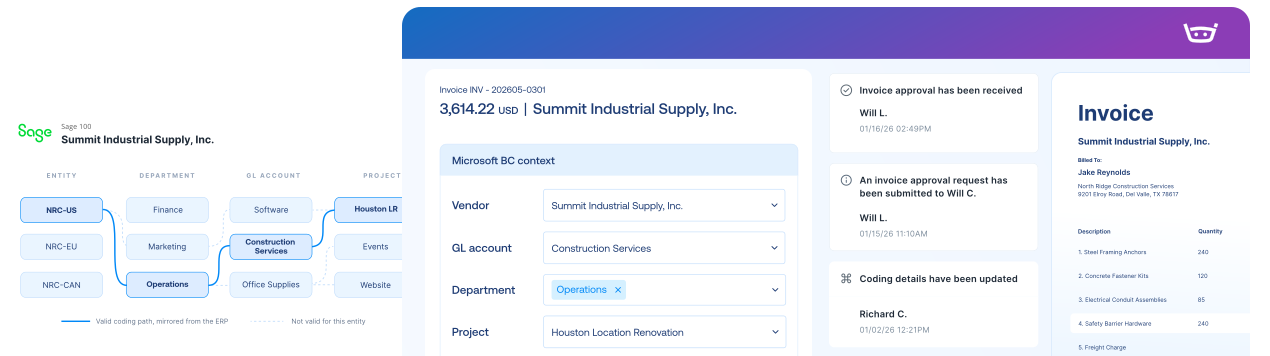
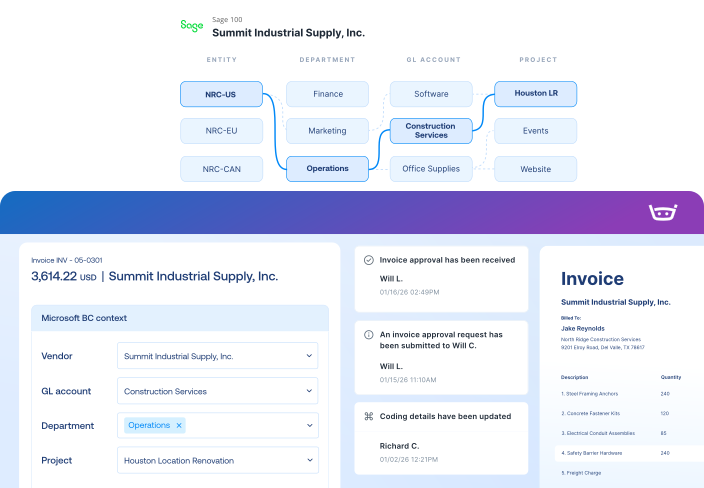
Stampli Bridge brings your Sage 100 vendors, GL accounts, POs, receipts, and payments into one connected AP workflow.

Built around the way Sage 100 teams already work

Keep Sage 100 as the source of truth

Bring Sage 100 data into AP, then return approved records through your configured posting process.

PO context right where you need it

Resolve PO-backed invoices with PO lines, receiving status, and vendor details in one place.

Your batches, your rules

Keep your batch and coding rules, with added capture, routing, collaboration, and audit history.

Sage 100 integration

Stampli Bridge brings Sage 100 data and PO context into AP, sends approved invoices back, and syncs payment status without manual file handoffs.
Sage 100
Stampli
Lists
Vendor Lists
Vendor Lists
GL Accounts
GL Accounts
Open POs, Line Items, Receipts
Fields, Custom Fields (Dimensions, 1099, Company Code, etc.)
Payments
Posted Purchase Invoice
Invoice Authorized for Payment
Link to Stampli Invoice
Link to Sage 100 Invoice
Business Payment
Stampli Payment
Link to Stampli Payment
Link to Sage 100 Payment

Keep every invoice moving with Sage 100 context

Stampli runs the invoice-to-pay workflow, while Sage 100 remains your system of record for vendors, dimensions, invoices, and payments.

Capture every invoice path

Collect invoices from email, upload, vendor portal, CSV, and other configured intake channels.

Work invoices with Intacct context

Code, match, approve, and resolve exceptions with vendors, dimensions, POs, receipts, jobs, items, and charges in view.

Send validated records to Sage

Export approved invoices, credits, coding, documents, and payment records back to Sage 100.

Keep vendors updated

Share invoice status, questions, and payment updates through vendor email and portal workflows.

67 restaurants. One four-day card close.

Receipts, coding, policy decisions, approvals, and
audit history travel with every expense into Sage or payroll process.

“We’ve gotten our card closing down to 4 days.”

Amanda Brown

Controller, Wenspok Companies

73% faster

Faster PO & invoice retrieval

65% increase

Saved across Procure-to-Pay

87% quicker

Average days to approval

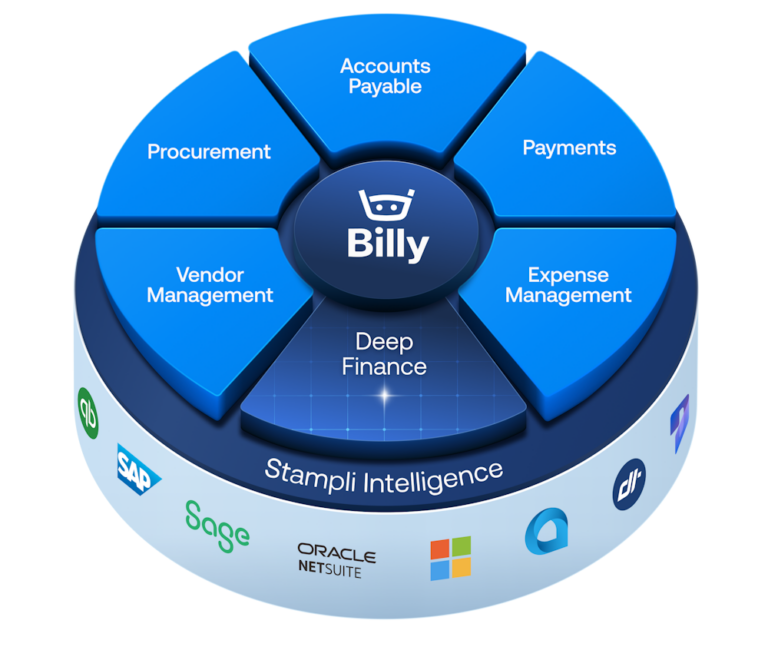
The intelligent Procure-to-Pay platform

Sage 100 FAQs FAQs

Stampli uses a prebuilt Bridge integration for Sage 100. The Bridge runs in an environment with access to Sage 100 and syncs ERP data such as vendors, GL accounts, items, POs, receiving details, invoices, payment information, and status between Sage 100 and Stampli.

Yes. Stampli handles AP capture, coding, approvals, collaboration, matching, and audit history. Sage 100 remains the financial system of record for the ledger and posted transactions, and governs final posting behavior.

Depending on configuration, Stampli can sync vendors, GL accounts, items, POs, PO lines, receiving data, company-specific lists, vendor defaults, custom fields, payment status, and other coding values used in the invoice workflow.

Yes. Stampli can import open POs, line details, item data, and receiving information from Sage 100 for 2-way and 3-way matching. Multi-PO behavior and item and line rules depend on your Sage 100 version and configuration, and non-PO invoices can follow their own workflow.

After coding and approval in Stampli, invoices export through the Bridge using your configured posting approach. Stampli supports single-batch and multi-batch workflows, and can send records as drafts for final review or as registered records, depending on your setup. Batch behavior is configured to match how your finance team already posts and reconciles, including any Sage 100 registers you run.

Setup is guided and prebuilt, but it does need a little IT help. Stampli Bridge is installed in an environment with access to Sage 100, a dedicated Sage 100 user is granted the right permissions, and connectivity is confirmed. Hosted Sage 100 environments may also involve your hosting provider.