

SAP S/4HANA Integration

Put S/4HANA’s accounting
context to work before posting

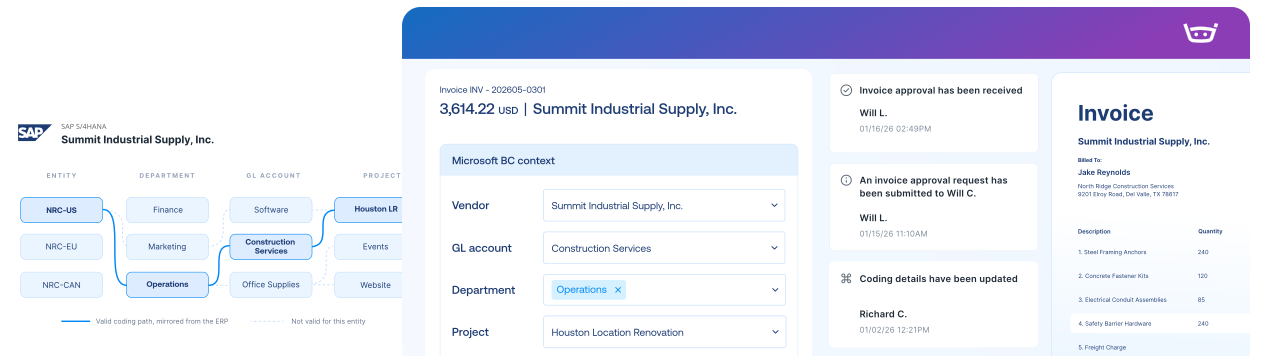
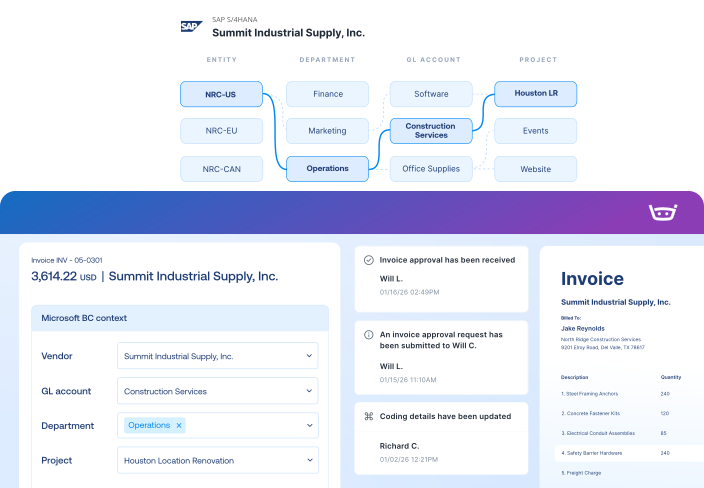
Stampli carries company codes, WBS elements, internal orders, profit centers, service POs, freight, and tax context through every invoice decision.

S/4HANA has the detail.
Approvers should see it.

Cost objects, without the code hunt

Bring company codes, WBS elements, internal orders, networks, activities, and profitability fields into the invoice workflow.

Goods and services match differently

Review goods receipts, service entry sheets, quantities, limits, and amounts using the right purchasing context.

Keep Fiori and Stampli one click apart

Use configured links between the SAP document and its invoice, image, and approval history in Stampli.

SAP S/4HANA integration

Bring supported S/4HANA context into Stampli, then return approved supplier transactions with the appropriate account assignments.
SAP S/4HANA
Stampli
Lists
Vendor Lists
Vendor Lists
GL Accounts
GL Accounts
Open POs, Line Items, Receipts
Fields, Custom Fields (Dimensions, 1099, Company Code, etc.)
Payments
Posted Purchase Invoice
Invoice Authorized for Payment
Link to Stampli Invoice
Link to SAP S/4HANA Invoice
Business Payment
Stampli Payment
Link to Stampli Payment
Link to SAP S/4HANA Payment

Keep every invoice moving with SAP S/4HANA context

Stampli runs the invoice-to-pay workflow, while SAP S/4HANA remains your system of record for cost and profit centers, suppliers, invoices, and payments.

Capture every invoice path

Collect invoices from email, upload, vendor portal, CSV, and other configured intake channels.

Work invoices with S/4HANA context

Use company code, GL account, WBS element, internal order, and profit center context while coding and approving invoices.

Send records to S/4HANA

Keep configured links between the SAP record and the invoice, image, documents, and approval history in Stampli.

Keep vendors updated

Share invoice status, questions, and payment updates through vendor email and portal workflows.

1,000+ invoices. 71 locations. Two people in AP.

Billy handles repetitive work, helping Advance Financial avoid 1-2 hires and cut AP analysis from two days to two hours.

“Stampli has given us the opportunity to focus on learning, improving processes, and taking on new responsibilities.”

Elizabeth Wallin

AP Manager, Advance Financial

$100k

Saved per year in labor costs

8-10 hrs

Reclaimed every month

2 hrs

AP analysis (down from 2 days)

The intelligent Procure-to-Pay platform

SAP S/4HANA FAQs FAQs

Stampli supports configured SAP S/4HANA on-premises and private-cloud environments, including supported RISE deployments. Confirm deployment and connection compatibility during discovery because supported architecture varies by environment.

The connection is configured for the customer’s SAP environment using Stampli’s SAP transport components and Bridge Connector or a supported HTTPS connection. The implementation team validates the appropriate architecture before launch.

Yes. Company codes can be connected and configured individually so invoices use the appropriate vendors, accounting structures, purchasing data, tax setup, and posting rules.

Depending on the configuration, Stampli can work with cost centers, profit centers, internal orders, WBS elements, networks, activities, assets, and profitability-segment fields.

Yes. Stampli can bring planned-service and limit PO information together with service entry sheet quantities, amounts, and account assignments for invoice review and matching.

Yes. Supported configurations can provide links from Stampli to the corresponding SAP record and from SAP back to the invoice and its supporting history in Stampli.