
Sage Intacct Construction Integration

Get every invoice on the
right job before it hits the ledger

Keep job costs, retainage, POs, and approvals connected, without changing your ERP’s logic.

Job cost is only as good as the invoice behind it.
Let's give it a good one.

The right job on the first try

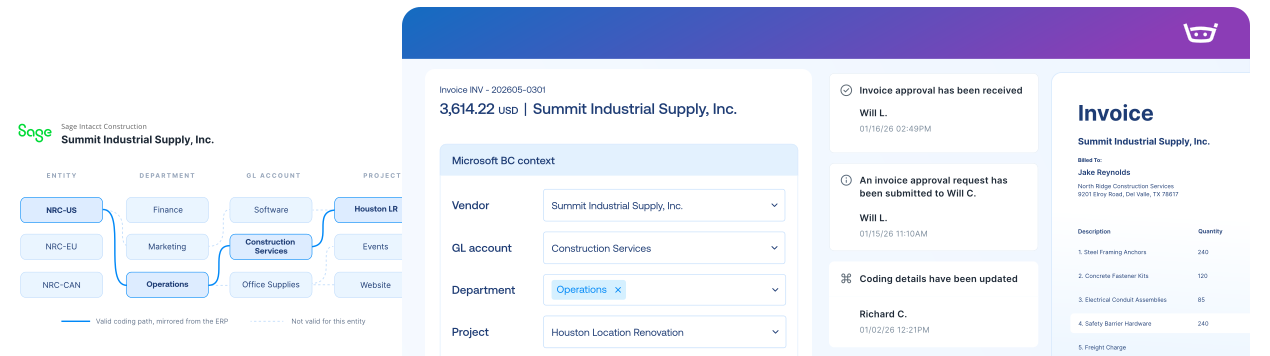
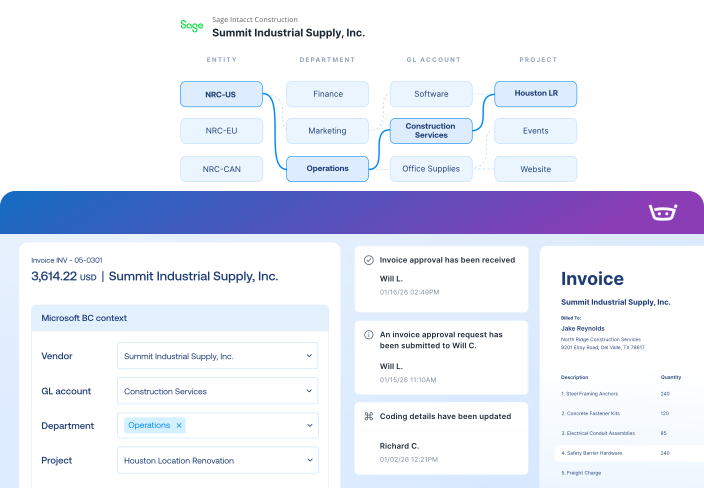
Cost codes and cost types filter around the selected project, so nobody scrolls a never-ending list and hopes for the best.

Approvals that find the right Project Manager

Invoices reach the right PM with purchasing, coding, and documents already attached. No “can you resend that?” required.

Retainage, out in the open

Supported retainage information sits beside the bill and its approval history. It has nowhere to hide, and nothing to hide.

Sage Intacct Construction integration

Stampli connects your Intacct projects, job costs, retainage, and approvals in one workflow, then sends completed records back to your ERP.
Sage Intacct Construction
Stampli
Lists
Vendor Lists
Vendor Lists
GL Accounts
GL Accounts
Open POs, Line Items, Receipts
Fields, Custom Fields (Dimensions, 1099, Company Code, etc.)
Payments
Posted Purchase Invoice
Invoice Authorized for Payment
Link to Stampli Invoice
Link to Sage Intacct Construction Invoice
Business Payment
Stampli Payment
Link to Stampli Payment
Link to Intacct Payment

Keep every invoice moving with Intacct context

Stampli runs the invoice-to-pay workflow, while Sage Intacct Construction remains your system of record for vendors, dimensions, invoices, and payments.

Capture every invoice path

Collect invoices from email, upload, vendor portal, CSV, and other configured intake channels.

Work invoices with Intacct context

Code, match, approve, and resolve exceptions with vendors, dimensions, POs, receipts, jobs, items, and charges in view.

Send validated records to Intacct

Export approved invoices, credits, coding, documents, and payment records back to Sage Intacct.

Keep vendors updated

Share invoice status, questions, and payment updates through vendor email and portal workflows.

67 restaurants. One four-day card close.

Receipts, coding, policy decisions, approvals, and
audit history travel with every expense into Sage Intacct
or payroll process.

“We’ve gotten our card closing down to 4 days.”

Amanda Brown

Controller, Wenspok Companies

73% faster

Faster PO & invoice retrieval

65% increase

Saved across Procure-to-Pay

87% quicker

Average days to approval

The intelligent Procure-to-Pay platform

Sage Intacct Construction FAQs FAQs

Yes, in supported configurations. Stampli uses project relationships and dynamic filtering to surface the cost codes and cost types that belong to the selected project, so coders see what's relevant instead of everything ever created.

Stampli can carry supported retainage information through invoice processing and return configured details to Sage Intacct Construction with the approved bill. Exact retainage behavior depends on the customer's configuration and is validated during implementation.

Where POs are synchronized from Procore into Sage Intacct, supported purchasing data can come into Stampli for invoice review and matching.

Stampli carries entities and locations from Sage Intacct Construction and configures entity relationships around your environment.

Yes. Stampli routes invoices to the appropriate project manager with purchasing, coding, and supporting documentation already attached. That's one less "quick question" email.

Depending on the configured workflow, approved bills and credits can return with project and job-cost coding, retainage details, purchasing references, supporting documentation, and payment status. The integration team confirms supported objects and fields before launch.