

Acumatica AP Automation Integration

Keep Acumatica connected
from purchase request to payment

Automate invoices, approvals, and payments across companies and branches without reworking your Acumatica setup.

Built for accounting that crosses branches without crossing wires

Keep control across branches

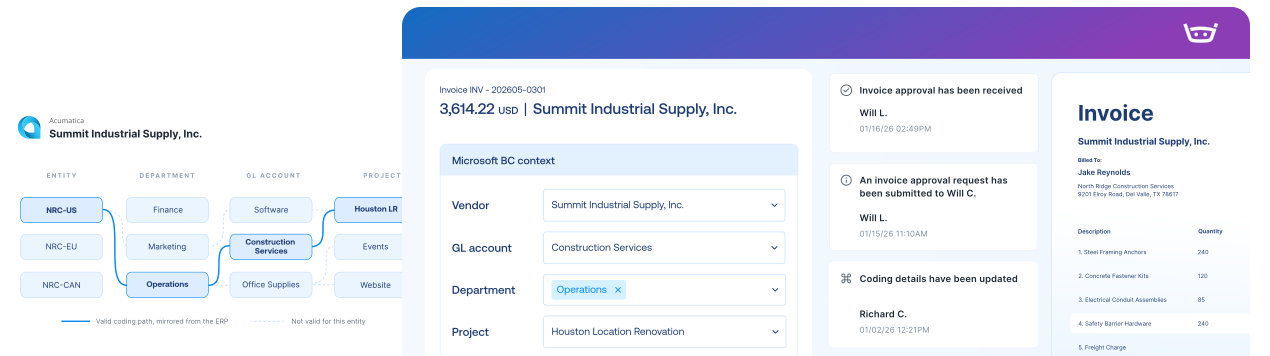
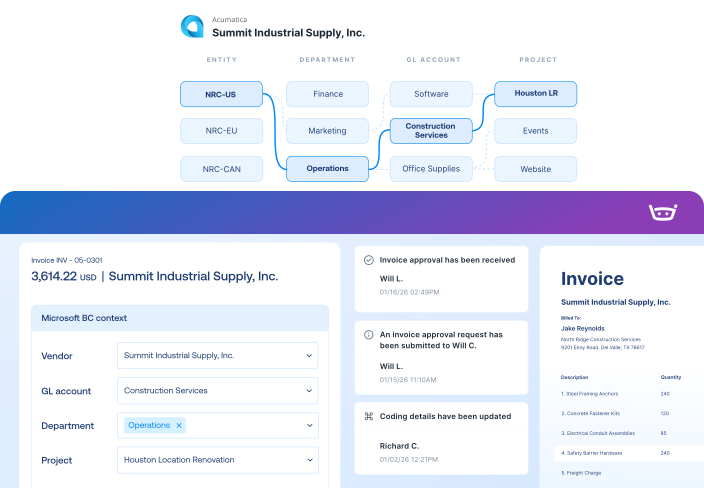
The right company, branch, vendor, and location stay attached from intake through posting. Nothing lands in the wrong entity’s books.

A total only tells you how much

Keep company, branch, account, project, and cost-code details attached through approval and posting, so Acumatica receives the coding finance needs for reporting.

Reconcile with less reconstruction

Completed transactions return with the coding and support finance needs. The close starts clean instead of starting with research.

Acumatica integration

Bring Acumatica projects, cost codes, POs, and receipts into Stampli, then return approved records. Supports multiple companies and branches, cloud or on-premises.
Acumatica
Stampli
Lists
Vendor Lists
Vendor Lists
GL Accounts
GL Accounts
Open POs, Line Items, Receipts
Fields, Custom Fields (Dimensions, 1099, Company Code, etc.)
Payments
Posted Purchase Invoice
Invoice Authorized for Payment
Link to Stampli Invoice
Link to Acumatica Invoice
Business Payment
Stampli Payment
Link to Stampli Payment
Link to Acumatica Payment

Keep every invoice moving with Acumatica context

Stampli runs the invoice-to-pay workflow, while Acumatica remains your system of record for vendors, tenants, branches, locations, invoices, and payments.

Capture every invoice path

Collect invoices from email, upload, vendor portal, CSV, and other configured intake channels.

Acumatica context

Code and approve invoices using Acumatica companies, branches, GL accounts, projects, tasks, cost codes, and custom fields.

Send records to Acumatica

Send approved records back to Acumatica with company, branch, project, task, and cost-code details intact.

Keep vendors updated

Share invoice status, questions, and payment updates through vendor email and portal workflows.

1,000+ invoices. 71 locations. Two people in AP.

Billy handles repetitive work, helping Advance Financial avoid 1-2 hires and cut AP analysis from two days to two hours.

“Stampli has given us the opportunity to focus on learning, improving processes, and taking on new responsibilities.”

Elizabeth Wallin

AP Manager, Advance Financial

$100k

Saved per year in labor costs

8-10 hrs

Reclaimed every month

2 hrs

AP analysis (down from 2 days)

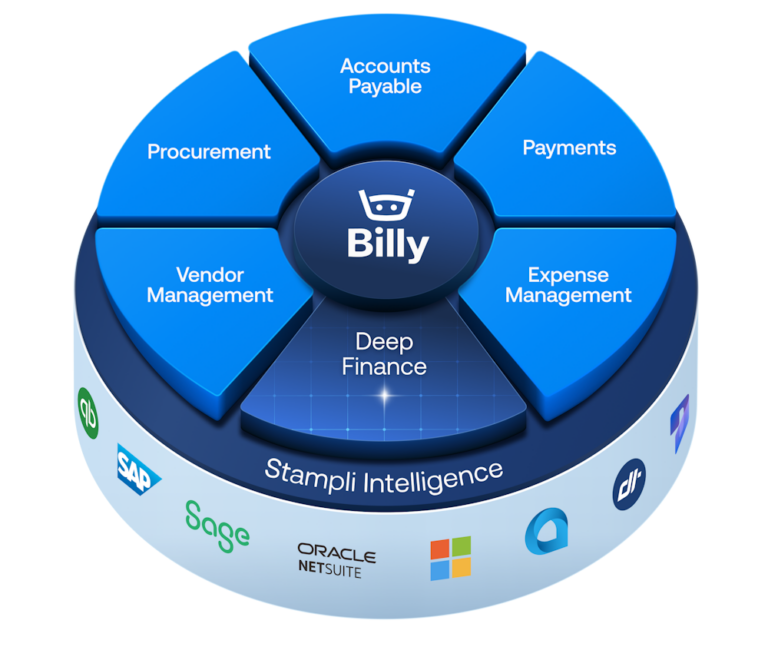
The intelligent Procure-to-Pay platform

Acumatica FAQs FAQs

Stampli brings configured Acumatica data, including companies, branches, vendors, GL accounts, projects, tasks, cost codes, items, purchase orders, receipts, and custom fields, into procure-to-pay workflows. After review and approval, supported records and accounting details can return to Acumatica, which remains the system of record.

Yes. Stampli carries company, tenant, branch, and location context through invoice and purchasing workflows.

Yes. Stampli brings projects, tasks, cost codes, and related custom fields into the workflow, with the integration configured to match your Acumatica setup.

Yes. Stampli can bring Acumatica purchase orders and receipts into the invoice workflow for two- and three-way matching.

Stampli supports configured cloud and on-premises Acumatica environments, including multi-company and multi-branch structures. The connection method and supported data are confirmed for the customer's deployment during implementation.dor credits, prepayments, discounts, full and partial payments, and payment-status updates from NetSuite.

Stampli’s integration team reviews your lists, workflows, custom fields, and posting requirements, then validates the connection against your Acumatica setup before launch.